Quick answer: My lead magnet is a free Business Growth Quiz, and people can now reach it two ways: directly, or through a free Profit Calculator. Either way, a Flodesk workflow sends them their result and one link to book a session with me. After that, it keeps checking where they're up to. Anyone who's booked drops out, anyone who's taken the quiz gets moved toward a session, and anyone who hasn't gets a nudge to take it. The first person who went through it became a $12K client, then spent another $7K, and still pays me for hosting.
Can a lead magnet actually bring in clients on its own?
Yes. Mine brought in $19,000 from one person, and I didn't send her a single email by hand.
I build lead magnets for a living. Quizzes, calculators, the free thing that turns a stranger into someone on your list who actually wants to hear from you. So when I built my own Business Growth Quiz, I wanted it to prove the point.
It takes about three minutes. It tells you which of four growth patterns your business is stuck in: Leadership Pressure, Systemic Bottleneck, Vision–Execution Disconnect or Legacy Constraints. Then it gives you three moves you can make straight away.
One woman found it on her own. She took the quiz, got her welcome email, clicked the link and booked a call. She signed up for a $12K package. Since then she's spent another $7K with me, and she's still paying for ongoing hosting.
That's all it took. The lead magnet and the welcome email did exactly what I built them to do.
What makes a lead magnet turn into a booking?
The welcome email does. The lead magnet gets them in the door, and the email tells them where to go next.
Most people put all their energy into the freebie and then send a welcome email that says "here's your download, follow me on Instagram!" That's where the momentum dies. Someone who's just found out what's holding their business back is at their most curious. That's the moment to offer them the next step, and to make it the only step.
So my welcome email has one job: get the right people booked in with me.
How do I set up the workflow in Flodesk?
You build it in Workflows. Mine starts when someone signs up, sends a welcome email, and then after every wait it checks where the person has got to: booked, took the quiz, or not yet. Here's every step.
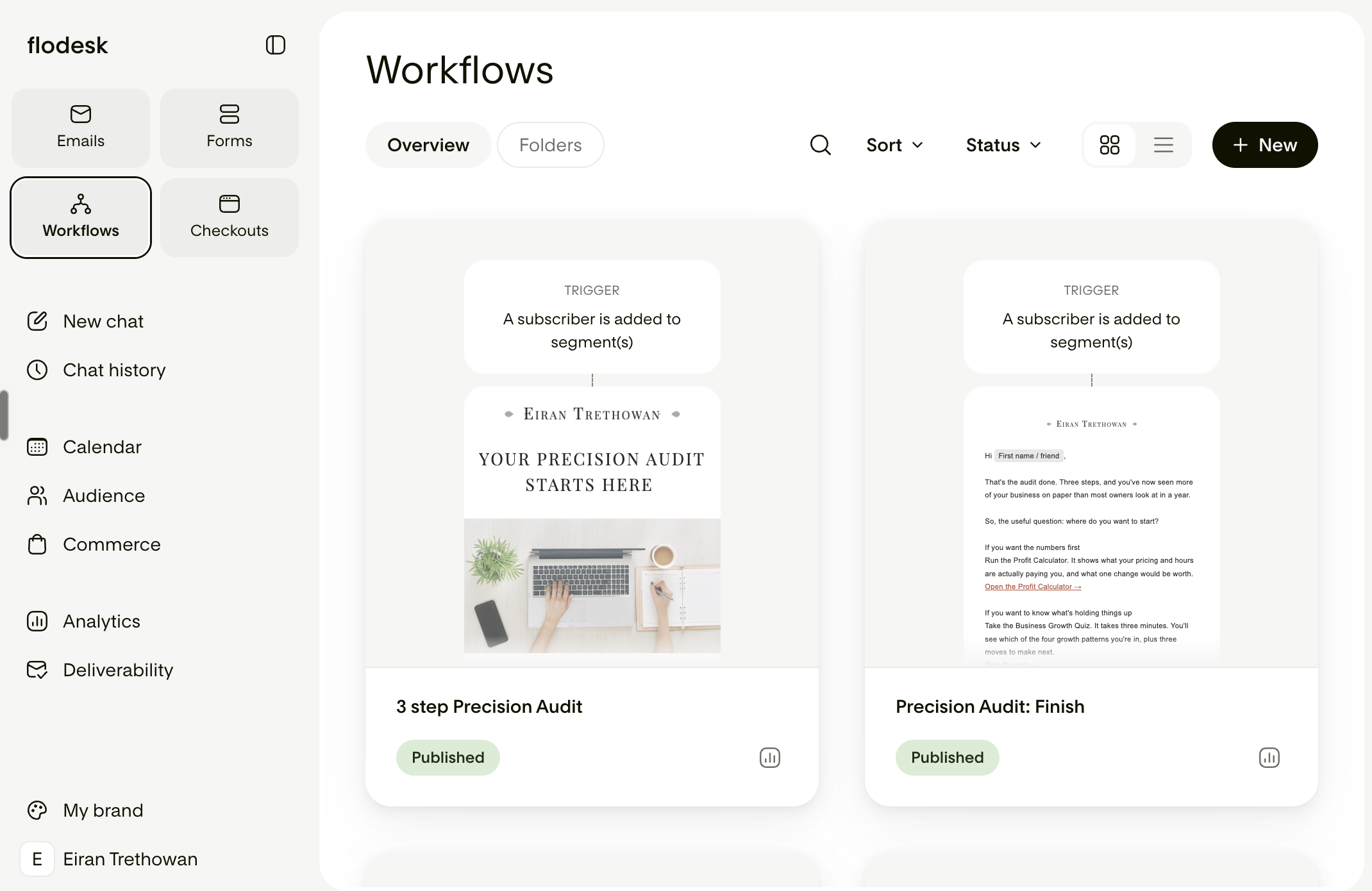
Step 1: What triggers the workflow?
One trigger: someone signs up on my 3-Step Precision Audit page, a Flodesk form that starts them on the Profit Calculator, then the quiz.
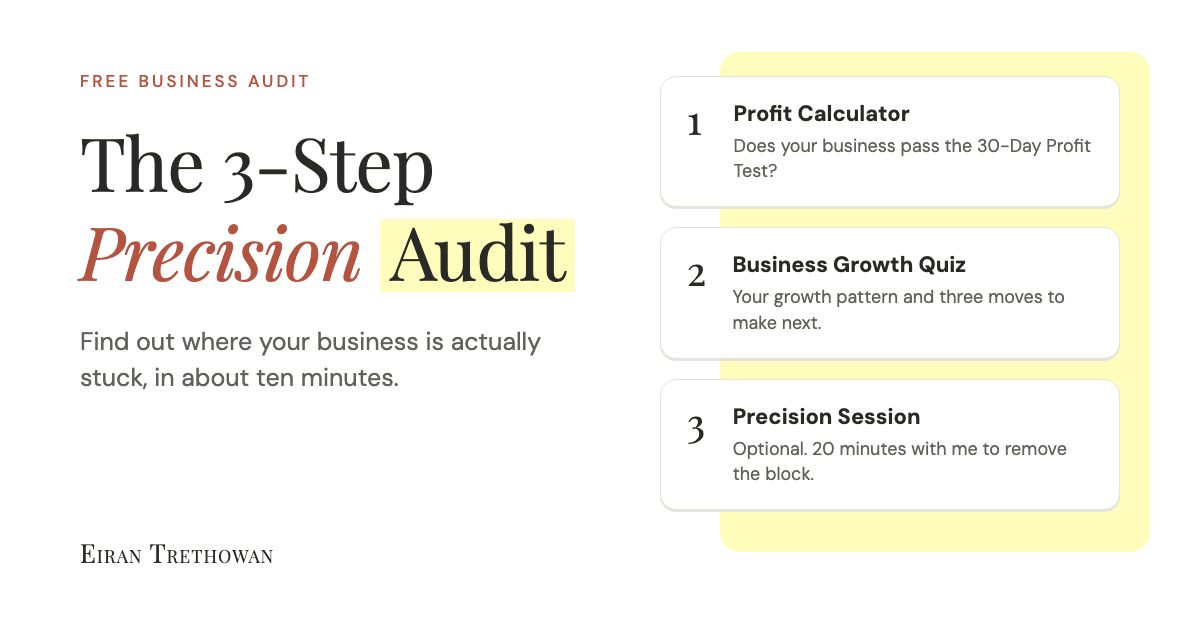
The quiz doesn't need its own trigger. When someone finishes it, the quiz adds them to a Flodesk segment for their result (one for each of the four growth patterns). The workflow checks for those segments further down, so it already knows who's done the quiz and who hasn't. When I added the calculator, I nearly built a second welcome workflow just for it. Then I'd have two versions of every email to keep in sync, and I know myself. One of them would be out of date within a month.
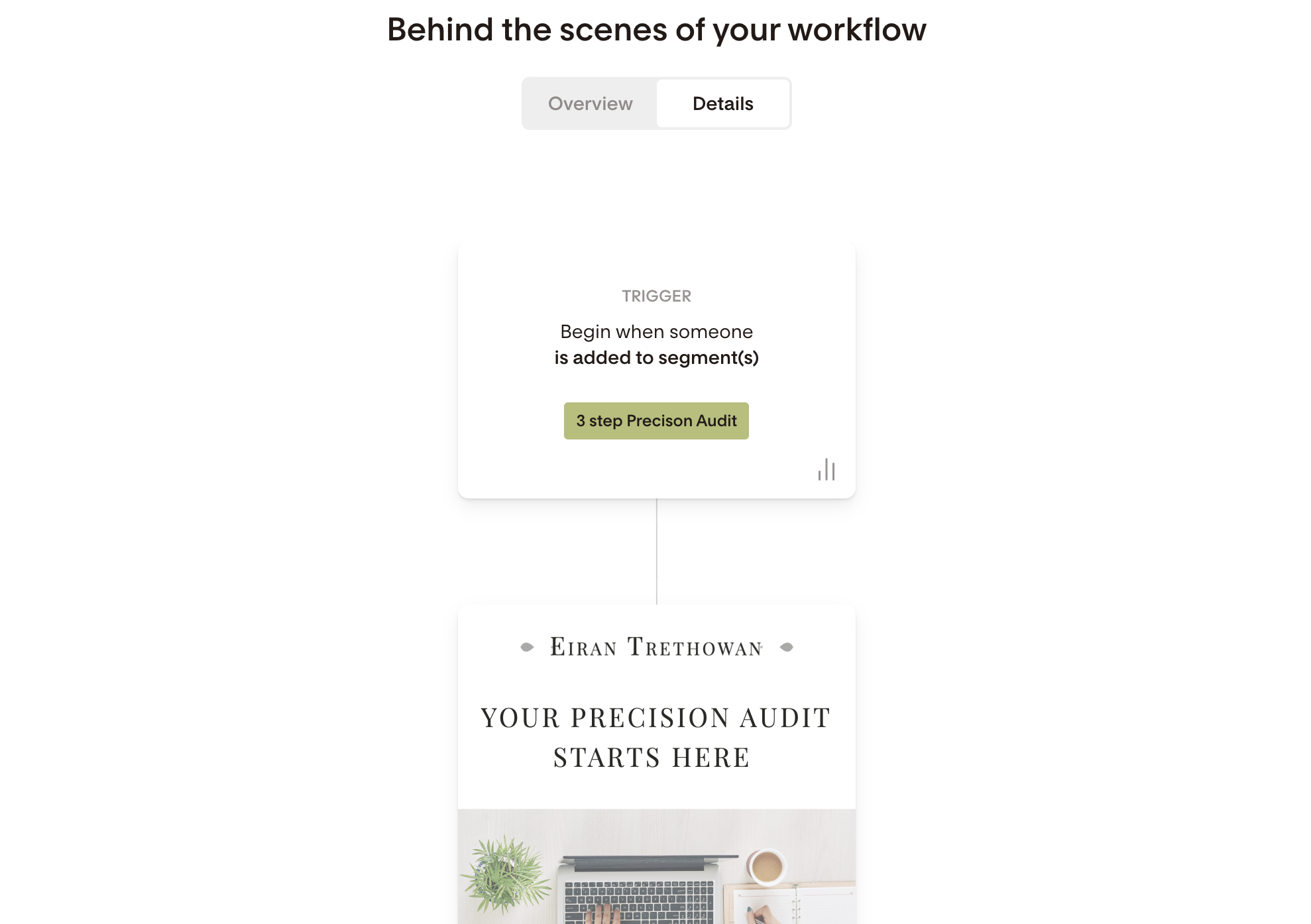
Step 2: The welcome email (sent straight away)
No delay. The email lands while they're still thinking about their business.
It's short: "Your Precision Audit starts here," a line on what's coming, and one button to their next step. No Instagram links, no podcast, no "here are my five favourite blog posts." One link.
Step 3: Wait 1 day, then ask the workflow three questions
After every email and every wait, the workflow checks where the person has got to, in this order.
Question 1: Have they booked?
If they're in my booked segment, they exit. Done. Nobody gets chased after they've booked. Nothing says "I'm not paying attention" like a "still thinking about it?" email to someone who already paid you.
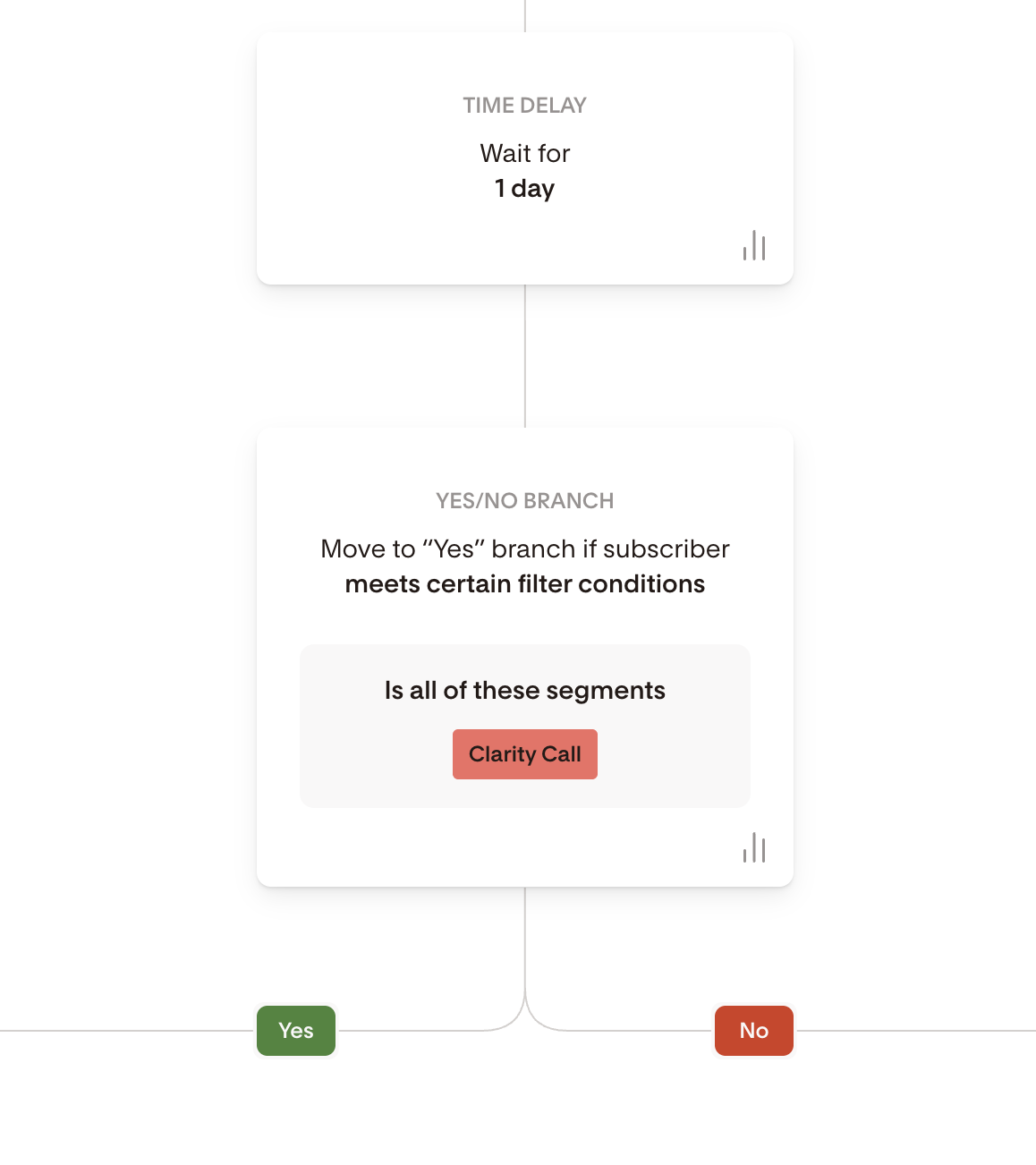
Question 2: Have they taken the quiz?
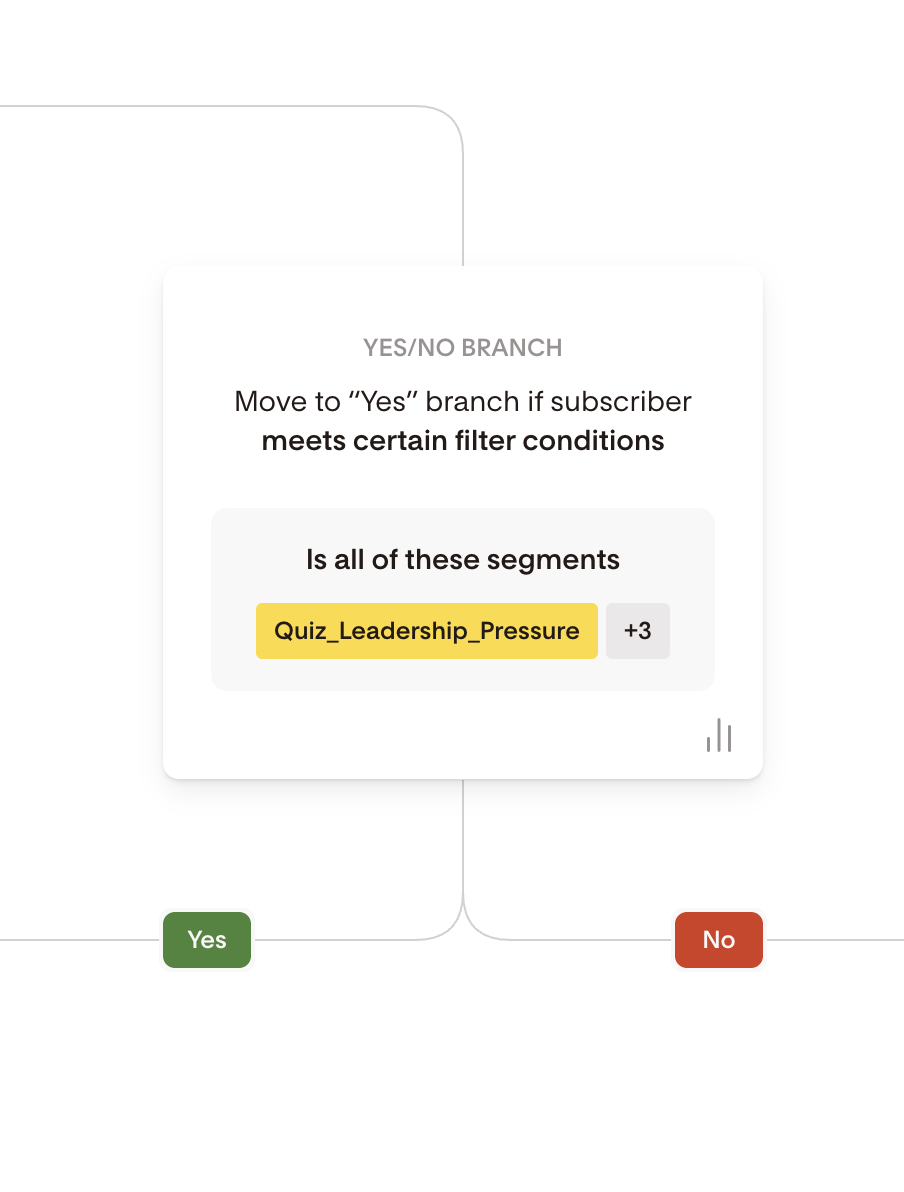
Every quiz result adds the person to its own segment in Flodesk. So if they're in any of the result segments, I know they've moved to the next part of the audit, and they get the email for that stage, like "Step 3: 30 minutes of precision." It walks them toward the session.
Question 3: Neither?
Then they haven't done the quiz yet, so the next email nudges them to take it. Something like "Did you run your numbers yet?" No guilt, just a door held open.
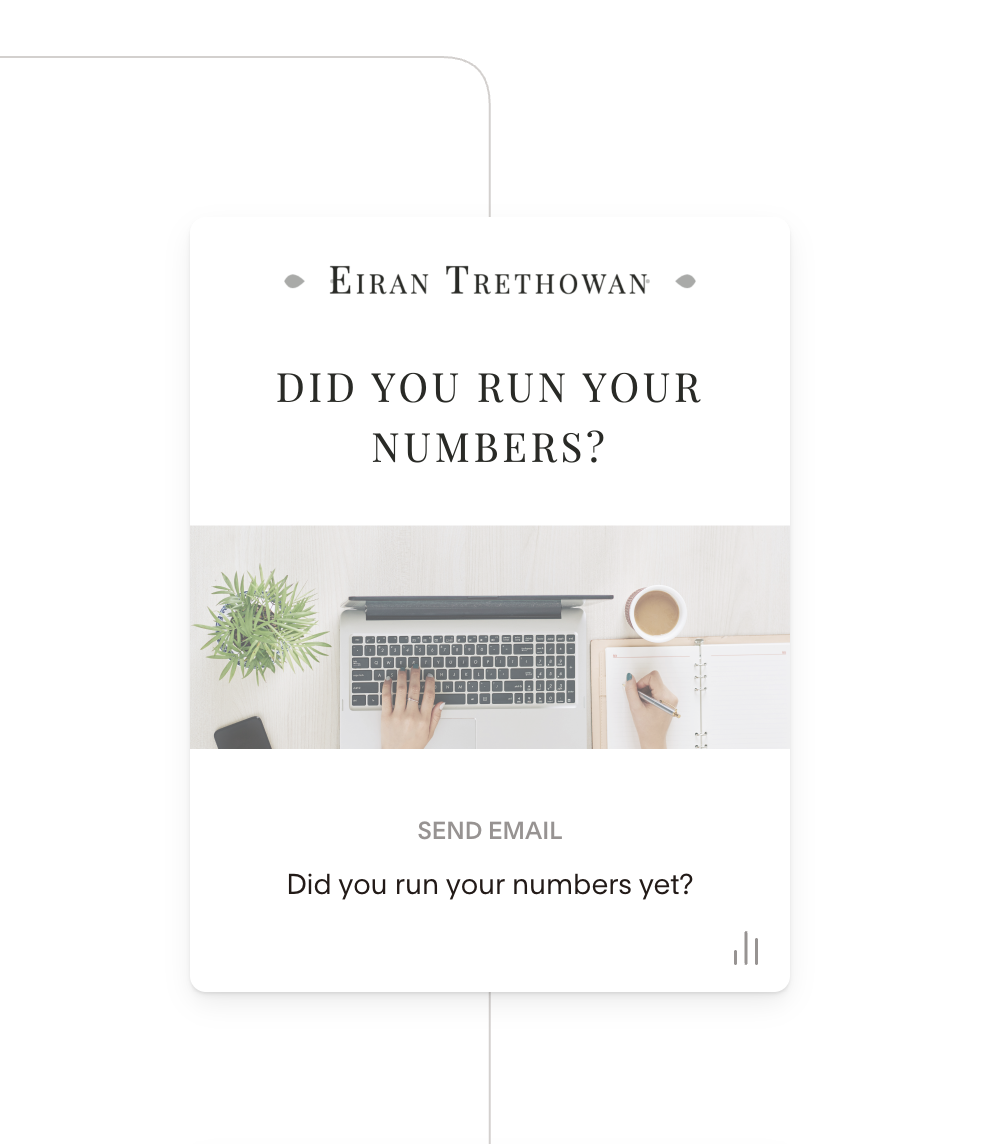
These are Yes/No branches in Flodesk, and each one checks whether someone is in a segment. The segments do all the remembering for me. I never have to look up who's done what.
Step 4: Wait 2 to 3 days and ask again
Same three questions, same order. Booked people leave, quiz-takers move forward, and everyone else gets one more gentle nudge. The waits get a little longer each round (two days, then three) so it never feels like I'm hovering.
Step 5: Everyone gets handed to one "finish" workflow
Here's my confession. When I opened this workflow to write this post, the last email ("Where do you want to start?") was in there three separate times, at the bottom of three separate branches. Same email, three copies. Every time I changed a price or a link, I had to remember to change it in three places.
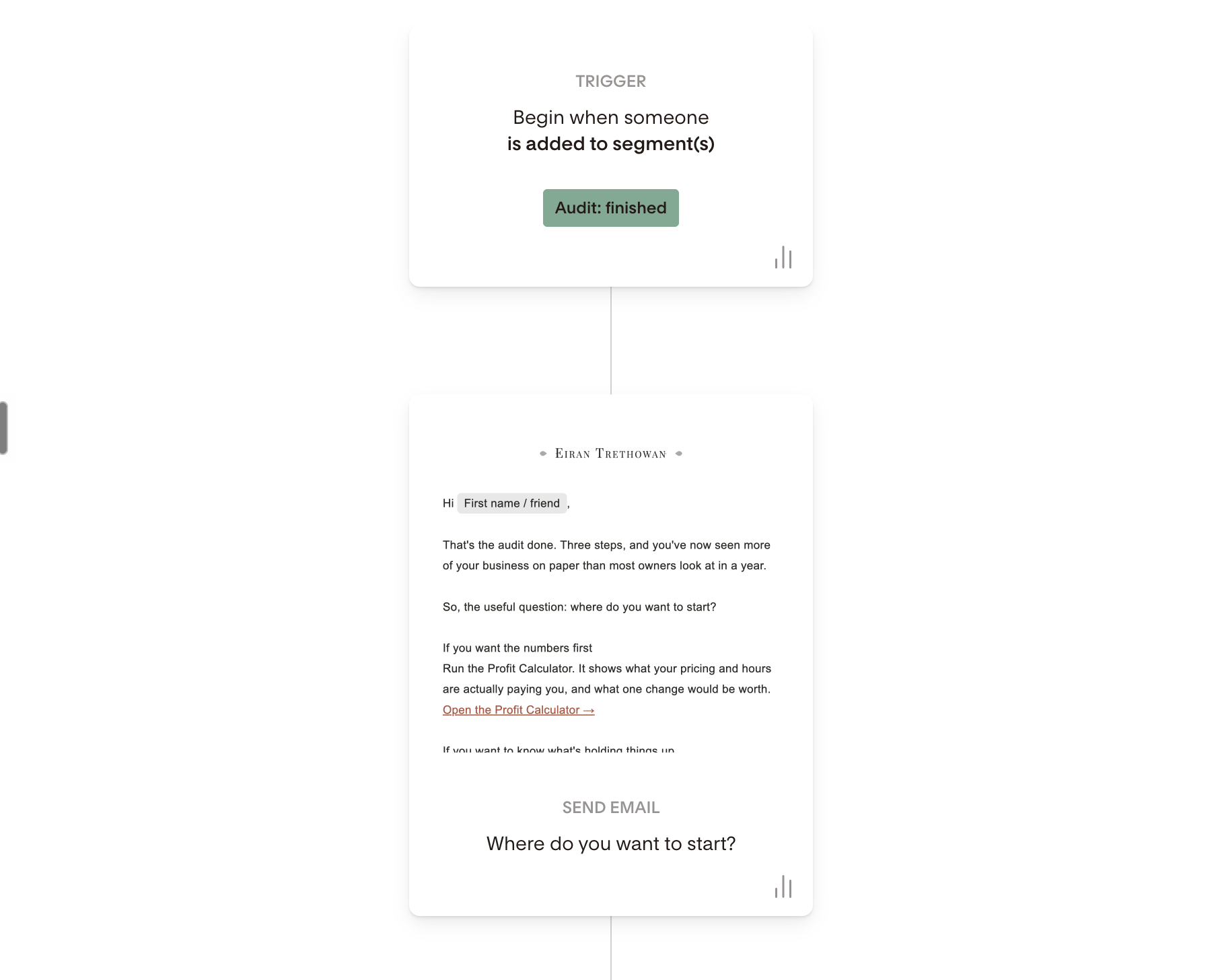
So I fixed it. Now each of those three branches ends with one action: add the person to a segment called "Audit: finished". That segment is the trigger for a second, much smaller workflow called Precision Audit: Finish. The ending lives in one place now, and I only ever edit it once.
Step 6: The finish workflow checks what they did
This is the part I'm proudest of, because it does the selling while I'm busy.
"Where do you want to start?" goes out straight away. It gives three options: the Profit Calculator if they want the numbers first, the Business Growth Quiz if they want to know what's holding things up, or a Precision Session (20 minutes, $197) if they want me to look at it with them.
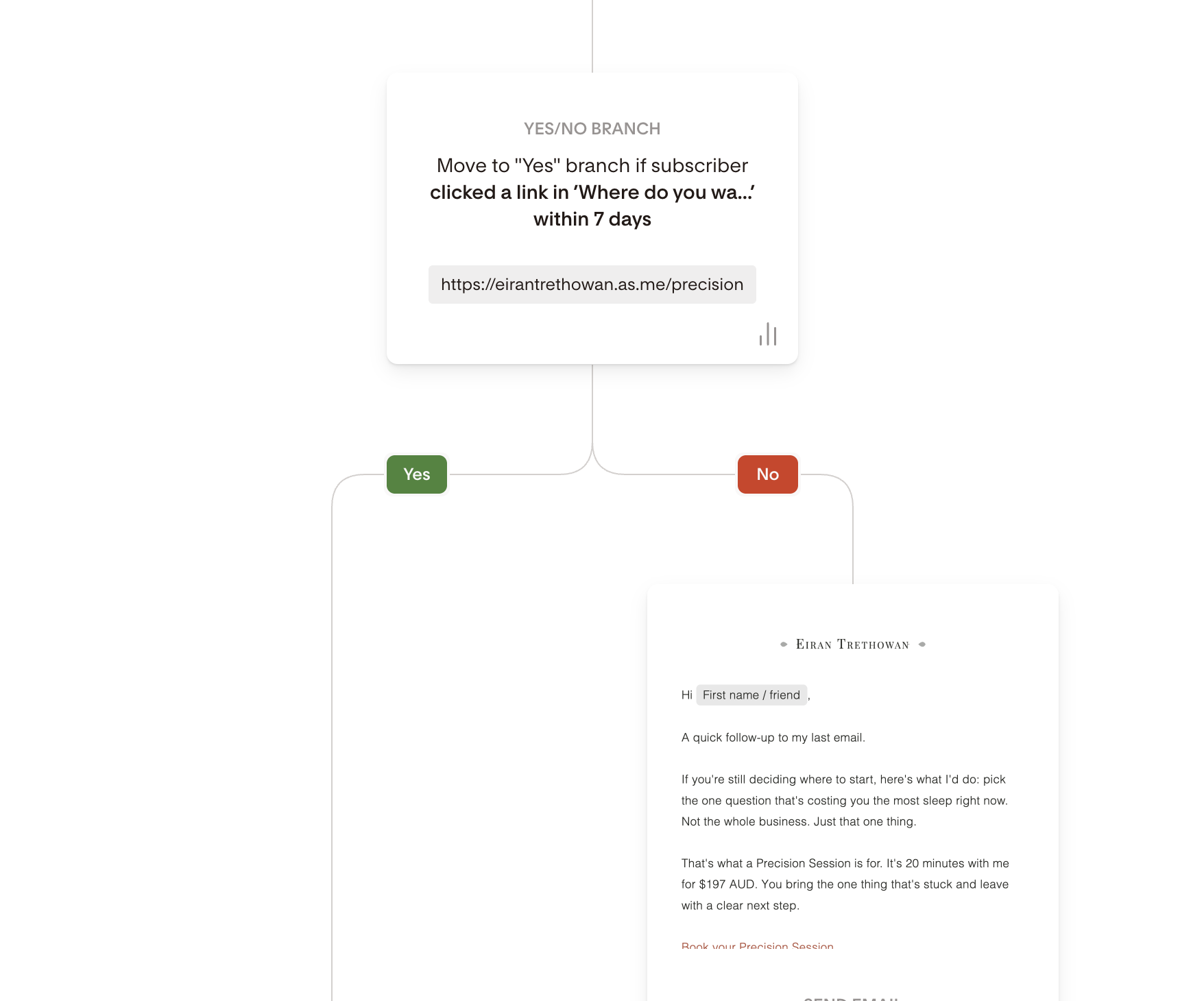
Then a Yes/No branch asks one question: did they click the booking link in that email within 7 days? So the next email depends on what the person actually did, not just which list they're on.
Yes: they've already gone to book, so they get nothing else from me.
No: they get one short follow-up, "Still deciding? Here's where I'd start." It suggests picking the one question that's costing them the most sleep and bringing that to a Precision Session.
Both paths join back together and exit at the same point. In Flodesk the Yes and No sides of a branch rejoin on their own, so there's one ending to look after.
Why did I change my free call to a paid session?
Because the free call was where I did my best work, and some people took that work to someone else.
On those calls I'd work out exactly what was going on in someone's business and which of my offers would fix it, whether that was coaching, a website or both. People would leave with a really clear plan. And a few of them took that plan and booked someone else to carry it out.
So the next step after the quiz is now a paid Precision Session. It's 20 minutes, $197, and it's credited toward working together if we keep going. We drill into one thing: the block that's actually holding the business back, and how to remove it.
I kept the price low on purpose. The point isn't to make money from the session. It's to make sure the person on the other end of the call has decided they're serious. A small yes filters out the people who were only ever there for free answers, and the people who book turn up invested from the first word.
And the quiz still gives real value for free. Everyone gets their growth pattern and three moves they can make without booking anything. The Precision Session is for the people who want help applying those moves to their actual business.
The workflow barely changed. The welcome email still has one link. It just goes to a paid booking now, and the follow-up for people who didn't click "book" does a bit more of the explaining.
What do you do when people stop taking your lead magnet?
Give it another way in. Don't scrap it.
After that first run, the quiz went quiet for a while. It wasn't broken. It just asked for three minutes of honesty from people who didn't know me yet. So I built a free Profit Calculator as a second way in. Someone pops in a few numbers and finds out whether their business passes the 30-Day Profit Test (most don't). From there they're invited into the Business Growth Quiz.
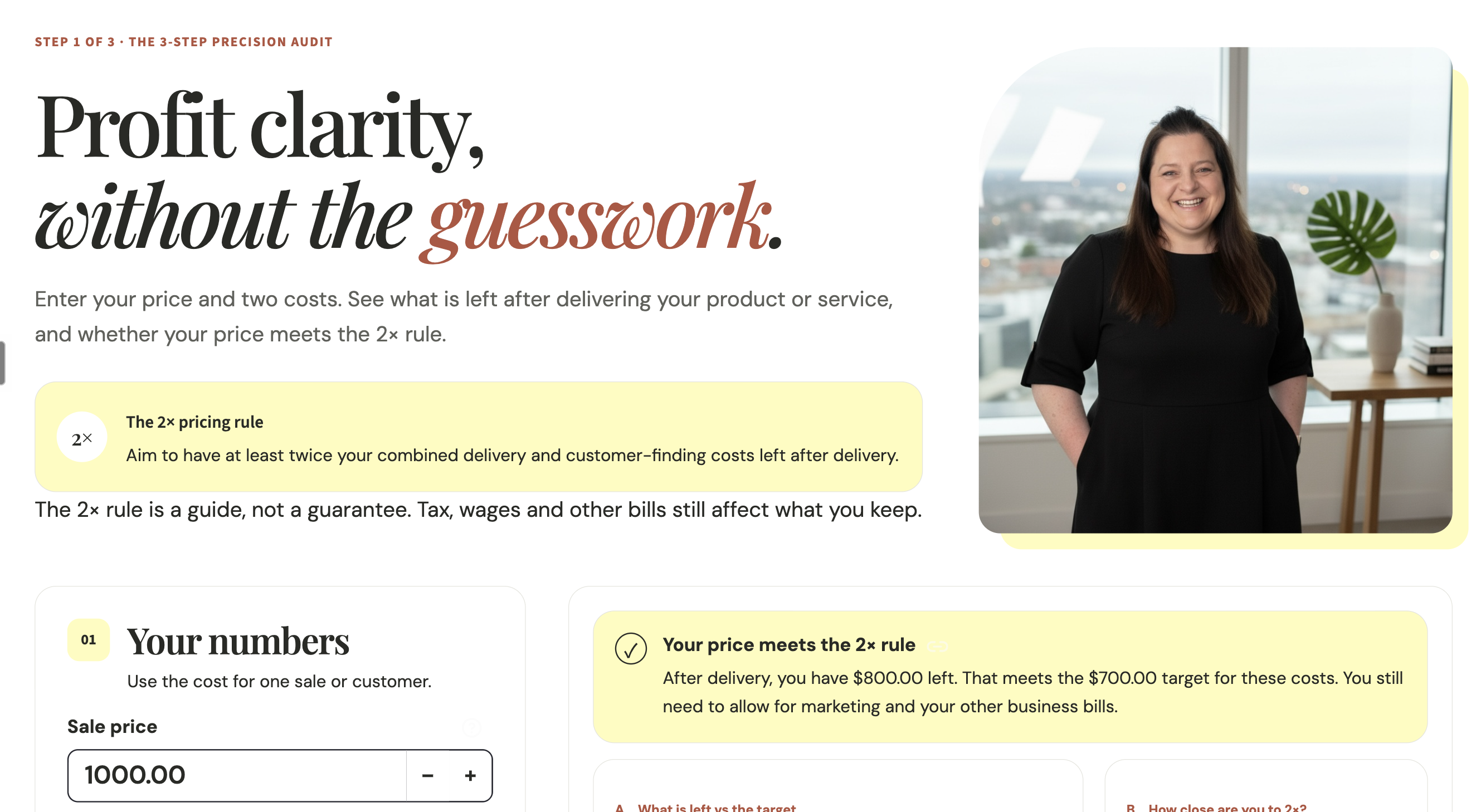
I packaged the two together as the 3-Step Precision Audit: calculator, quiz, then a session with me. The calculator is the "huh, interesting" moment. The quiz is the "okay, what's actually going on" moment. And the Flodesk workflow is what turns that into a booking, whichever door someone came in through.
Is it working?
The first version made $19K from one person, so yes, it's already paid for itself many times over.
I'm not chasing volume with this. A lead magnet like mine only needs to find the right person every so often. The workflow's job is to make sure that when she shows up, she gets a clear next step, even if I'm asleep or on a plane.
Can a workflow start from something outside Flodesk?
Yes, and that's most of what I build for clients. When I make a website or a lead magnet, I connect it straight to Flodesk using Flodesk's API. A quiz result, a calculator, a booking or a purchase can add someone to the right segment, and that segment starts the right workflow. The person gets an email that matches what they just did, and nobody has to export a list or move people across by hand.
My own Business Growth Quiz works this way. Every result adds the person to its own segment, and that's how the workflow knows who's taken it.
There are plenty of other ways to connect things too. Flodesk forms, Flodesk's built-in integrations and custom-built connectors that link Flodesk to the tools you already use can all add people to segments. The thinking is the same either way. Decide what someone has to do to start the workflow, and make sure doing it puts them in a segment.
What would I tell a friend building their first lead magnet workflow?
Spend as much time on the welcome email as you spend on the freebie. That's where the booking happens.
- One link per email. People do nothing when you give them six options.
- Send it straight away. The first few minutes after someone gets their result are the best moment you'll ever have.
- Let the workflow sort people for you. A simple "did they click?" condition means nobody gets an email that doesn't fit what they just did.
- Check for bookings before every follow-up.
- If your lead magnet goes quiet, give it a front door. An easier free step in front of it can bring it back to life.
- Send yourself through it. I sign up with a spare email every time I change a workflow. I've caught broken links this way more than once.
Is Flodesk's unlimited plan worth it for workflows like this?
Flodesk is one flat price with unlimited subscribers and unlimited emails, so your price stays the same however big your list gets and however often you email. Unlimited Email is $46/month with a monthly subscription (or $456 for the year, which works out to $38/month), and it includes unlimited subscribers, unlimited emails, unlimited forms and unlimited workflows. For anyone building lead magnets, that means every quiz result, calculator and freebie can have its own path without your bill creeping up each time the list grows.
If you want to try it, sign up through my link and you'll get 25% off your first year.
Want to see the workflow from the other side?
Start the 3-Step Precision Audit. It's free, and once you sign up you'll go through this exact workflow. And if you'd like a lead magnet like this built for your own business, book a free 20-minute meet and greet with my build studio, SoulEld Tech.
FAQ
What is a welcome email workflow?
A welcome email workflow is a set of emails that sends automatically when someone joins your list. In Flodesk you build it in Workflows with a trigger, emails, wait times and, if you want, conditions that send people down different paths.
What makes a lead magnet convert into clients?
The welcome email that follows it. Send it straight away, keep it to one clear next step, and follow up based on what the person actually did.
Can a Flodesk workflow have more than one trigger?
Yes. Flodesk workflows support multiple triggers, so several forms or segments can all start the same workflow.
Can Flodesk send a different email depending on what someone clicked?
Yes. A workflow can check what someone did, like whether they opened an email or clicked a link, and send them a different email depending on the answer.
Can split paths in a Flodesk workflow join back together?
Yes. Split paths can rejoin, so you can send different emails to different people and then bring everyone back to the same final steps.